
A role-based access inventory gives a small organization a practical record of who can reach sensitive business data, where that data lives, and why access is appropriate. Instead of relying on a vague user list, managers can use it to review permissions, respond to client security questions, and organize evidence for audits or cyber insurance discussions.
The goal is not to create paperwork for its own sake. A useful inventory makes it easier to spot access that no longer fits a person’s job, accounts that may have been overlooked, and approval or follow-up steps that need attention. It can support security and compliance work, but it does not by itself guarantee compliance or insurance coverage. Requirements vary by organization and policy.
Start with the data, not the user list
Begin by identifying the information your organization considers sensitive. This may include customer or patient records, financial information, employee files, contracts, business plans, or regulated data. The right categories depend on your organization and its obligations.
For each category, record where the information is stored or handled. Consider cloud applications, shared drives, email, business systems, databases, paper files, and devices used to access or store data. Include locations managed by service providers when your organization relies on them to hold or process information.
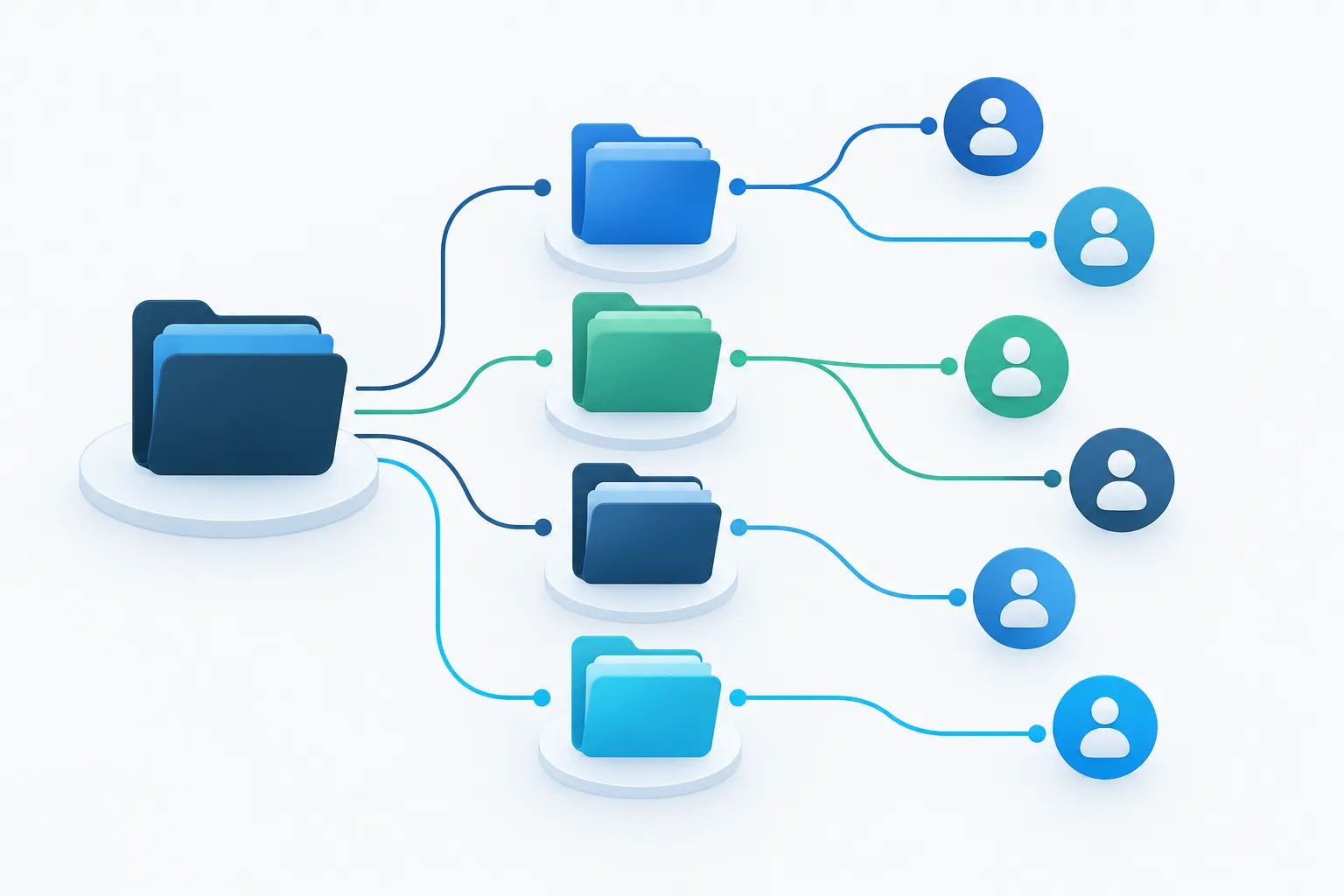
This first step helps avoid a common gap: a list of employees and their accounts does not show what data each account can actually reach. Connect each person or account to a specific system or data location, then describe the level of access.
What to include in the inventory
A spreadsheet can be a workable starting point. Use columns that let a reviewer understand access and confirm whether it is still justified:
- Data set or system: Name the information or application, and where it is stored.
- Person, role, or account: Record the employee, contractor, vendor, administrator, shared account, or service account.
- Access level: Describe what the account can do, such as view, edit, export, administer, or manage user access.
- Business reason: Note the job duty or operational need that requires access.
- Approver: Identify the manager or other responsible person who authorized it.
- Evidence or source: Note where you confirmed the account and permission, such as an application user list or an approved request.
- Last review and action: Record when the access was checked and any correction or follow-up that resulted.
Use consistent role names where possible, such as “billing,” “case manager,” or “system administrator.” A role-based view makes it easier to compare what people with similar responsibilities can do. Still, keep a way to identify the actual account holder. A role label alone is not enough to determine who can log in.
Build the inventory in manageable steps
- Choose the scope. Decide which sensitive data and systems to review first. Prioritize information with greater sensitivity or business impact, then expand the inventory as your process matures.
- Collect account and permission records. Gather user lists and access settings from each application, file-sharing platform, network, and other relevant system. Ask system owners and vendors about access they administer on your organization’s behalf.
- Connect access to job needs. Compare each person’s permissions with their current responsibilities. Use the principle of least privilege: provide the access needed for assigned work, rather than broad access by default.
- Document approval and exceptions. Record who approved access and the business reason. If a permission is temporary or unusually broad, note why it is needed and what follow-up is expected.
- Correct and record gaps. When a permission appears unnecessary, confirm the situation with the responsible manager or system owner, then document the decision and any change made. Do not leave the record as a snapshot with no action history.
- Set the next review point. Choose a review cadence that fits the sensitivity of the data and the pace of organizational change. Also review access when someone changes roles, a vendor relationship changes, or a system is replaced.
For a practical reference, the NIST small-business cybersecurity guide and CISA identity and access management recommendations provide guidance on organizing cybersecurity and access management practices.
Include more than employees
An access review should cover anyone or anything that can reach the information, not only named employees. Include temporary staff, contractors, vendors, administrators, integrations, and service accounts. Also consider shared accounts and physical access to paper records or areas where sensitive files are kept.
Shared accounts can make it difficult to tell who performed an action. Where a shared account cannot be replaced right away, document its purpose, who is allowed to use it, who is responsible for it, and how its credentials are controlled. Service accounts and integrations also need an owner and a clear reason to exist.
Look for accounts that are dormant, duplicated, or no longer tied to a current business need. Confirm an account’s status with its owner before changing it, since an account may support a business process that is not obvious from its name. For employee departures, document how access removal is coordinated; see this employee offboarding access checklist.
Make reviews useful for audits and insurance discussions
A well-maintained inventory can help your organization explain which roles have access to important systems, who approved that access, and when permissions were last reviewed. It can also help prepare for client security questions or an audit by pointing reviewers to the people responsible for systems and decisions.
Use the inventory as supporting evidence, not as a promise that every requirement has been met. Keep the record current, preserve approval and correction notes, and check what a particular audit, client request, or insurance application asks for. For more on organizing supporting material, read how to gather evidence for a cyber insurance security questionnaire.
Frequently asked questions
How do I decide which employees need access?
Start with their current job responsibilities and the data they need to handle those duties. Grant only the access needed for that work, and record the approving manager and business reason.
How often should a small business review permissions?
Set a recurring review schedule that reflects the sensitivity of the data and how often roles or systems change. Also review permissions after role changes, departures, and vendor or system changes.
Should service accounts and vendors be included?
Yes. Include vendor accounts, integrations, service accounts, shared accounts, and other nonemployee access. Record an internal owner and the reason each one needs access.
How can I find dormant or unnecessary accounts?
Compare account lists with current staff, roles, business owners, and system activity records where available. Confirm unclear accounts with the responsible owner before removing or changing access.
Does an inventory prove compliance or qualify a business for cyber insurance?
No. It can help organize evidence and make access decisions easier to explain, but it does not guarantee compliance or coverage. Requirements depend on the organization, the review, and the policy.
Make access review an ongoing habit
A clear role-based access inventory links sensitive data to the people and accounts that can reach it, the reason they need access, and the person responsible for approval. Start with the systems that matter most, document what you confirm, and keep the record current as responsibilities change.
Zevonix provides managed IT support, cybersecurity, and strategic IT planning for businesses in Palm Coast, Flagler Beach, Bunnell, and the surrounding Flagler County area. If you would like help reviewing your organization’s IT environment, call (386) 260-0777.